
| 일 | 월 | 화 | 수 | 목 | 금 | 토 |
|---|---|---|---|---|---|---|
| 1 | 2 | 3 | ||||
| 4 | 5 | 6 | 7 | 8 | 9 | 10 |
| 11 | 12 | 13 | 14 | 15 | 16 | 17 |
| 18 | 19 | 20 | 21 | 22 | 23 | 24 |
| 25 | 26 | 27 | 28 | 29 | 30 | 31 |
- 1주차
- 개발일지
- 정보처리기사실기
- vscode
- sql
- 채팅
- 가상환경
- 장고
- 백준
- 알고리즘
- WIL
- resnet50
- 미니프로젝트
- re-id
- Class
- Git
- github
- 마스킹
- WebSocket
- Commpot
- 정보처리기사
- 2주차
- 프로젝트
- REDIS
- js
- WHERE절
- 프로그래머스
- 파이썬
- poetry
- channels
- Today
- Total
개발일기
게시글 수정하기 기능(모달과 페이지 두 가지 버전으로 만들기) 본문
base.html을 만들고 나서 내가 맡은 역할 중 하나인 게시글 수정하기를 구현했다.
게시글 수정의 경우, 모달로 구현할 수도 있고, 새로운 페이지로 구현할 수 있다.
팀에서 모달로 구현할지 페이지로 구현할지 의견이 분분했기에, 모달과 페이지 모두 구현해보고 함께 결정하기로 했다.
그래서 게시글 수정 기능을 모달과 페이지 두 가지 버전으로 만들어보았다!!
1. 모달로 구현하기
먼저 모달로 게시글 수정하는 기능을 구현해보았다.
<post views.py 게시글 수정>
def posting_detail_view(request, id):
    my_posting = Posting.objects.get(id=id)
    posting_comment = PostingComment.objects.filter(posting_id = id)
    if request.method == 'POST':
        title = request.POST.get("title", "")
        content = request.POST.get("content", "")
        my_posting.title = title
        my_posting.content = content
        my_posting.save()
        return redirect('/api/posts/'+str(id))
    else:
        return render(request, 'posting/post_detail.html', {'posting':my_posting, 'comment':posting_comment})
<templates/post_detail.html>
게시글 상세 페이지에서 게시글 수정 버튼을 누르면, 모달이 나오고 수정하는 방식으로 코딩했다.
<!-- 모달창 시작 -->
<div class="modal fade" data-bs-backdrop="static" id="exampleModal" tabindex="-1" role="dialog"
    aria-labelledby="exampleModalLabel" aria-hidden="true">
    <div class="modal-dialog modal-dialog-centered" role="document">
        <div class="modal-content">
            <div class="modal-header">
                <h5 class="modal-title" id="exampleModalLabel">Edit My Posting</h5>
            </div>
            <div class="modal-body">
                <form class="form-area" method="post" action="/api/posts/{{posting.id}}">
                    {% csrf_token %}
                    <div class="form-group mt-2 mb-2">
                        <label for="username">Title</label>
                        <input type="text" class="form-control" id="title" name="title" value="{{posting.title}}">
                    </div>
                    <div class="form-group mt-2 mb-2">
                        <label for="content">Content:</label>
                        <textarea class="form-control" style="resize: none" name='content'
                            id="content">{{posting.content}}</textarea>
                    </div>
                    <button type="submit" class="btn btn-primary">Save changes</button>
                    <button type="button" class="btn btn-secondary" data-bs-dismiss="modal">Cancel</button>
                </form>
            </div>
        </div>
    </div>
</div>
<!-- 모달창 끝 -->
<RESULT>
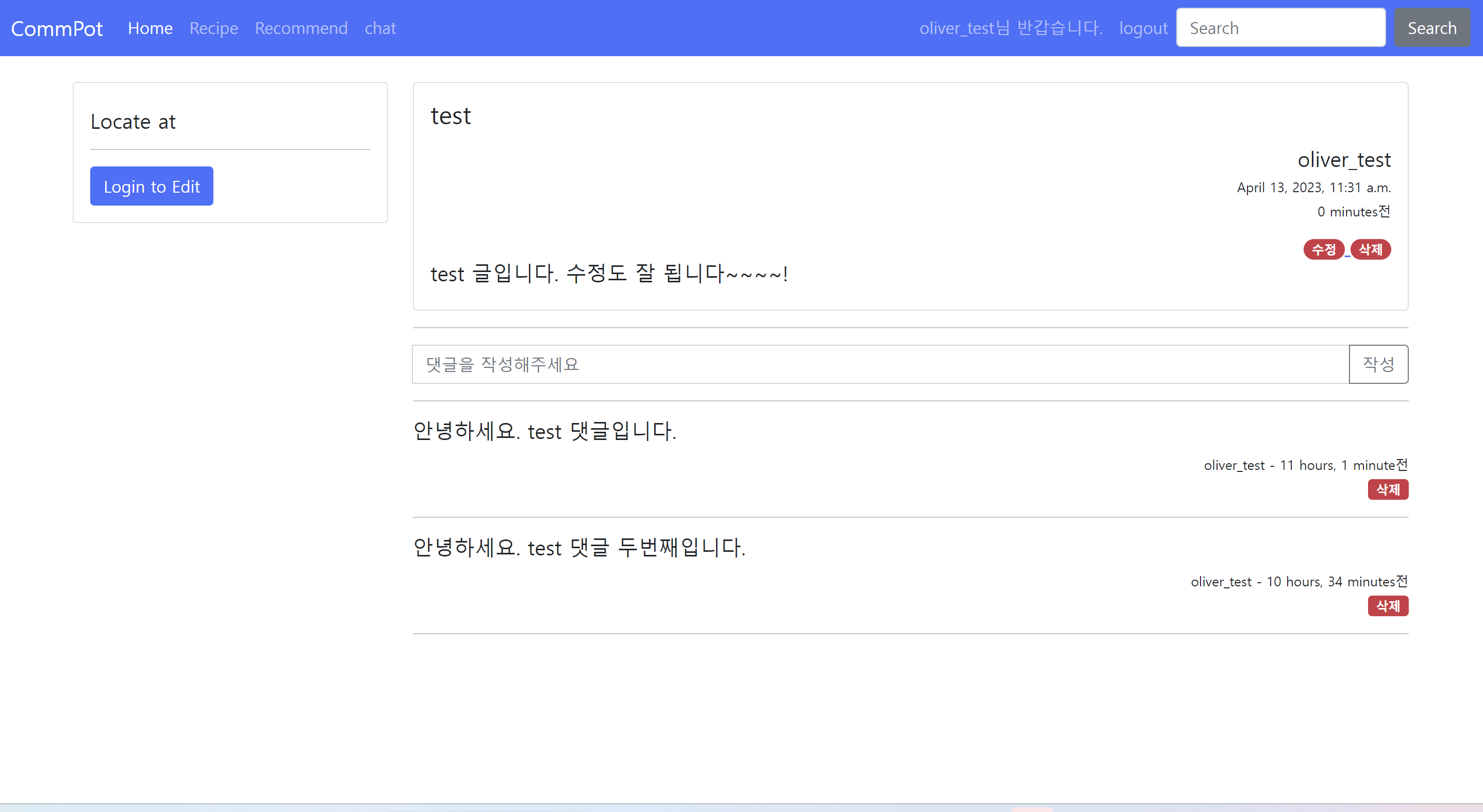
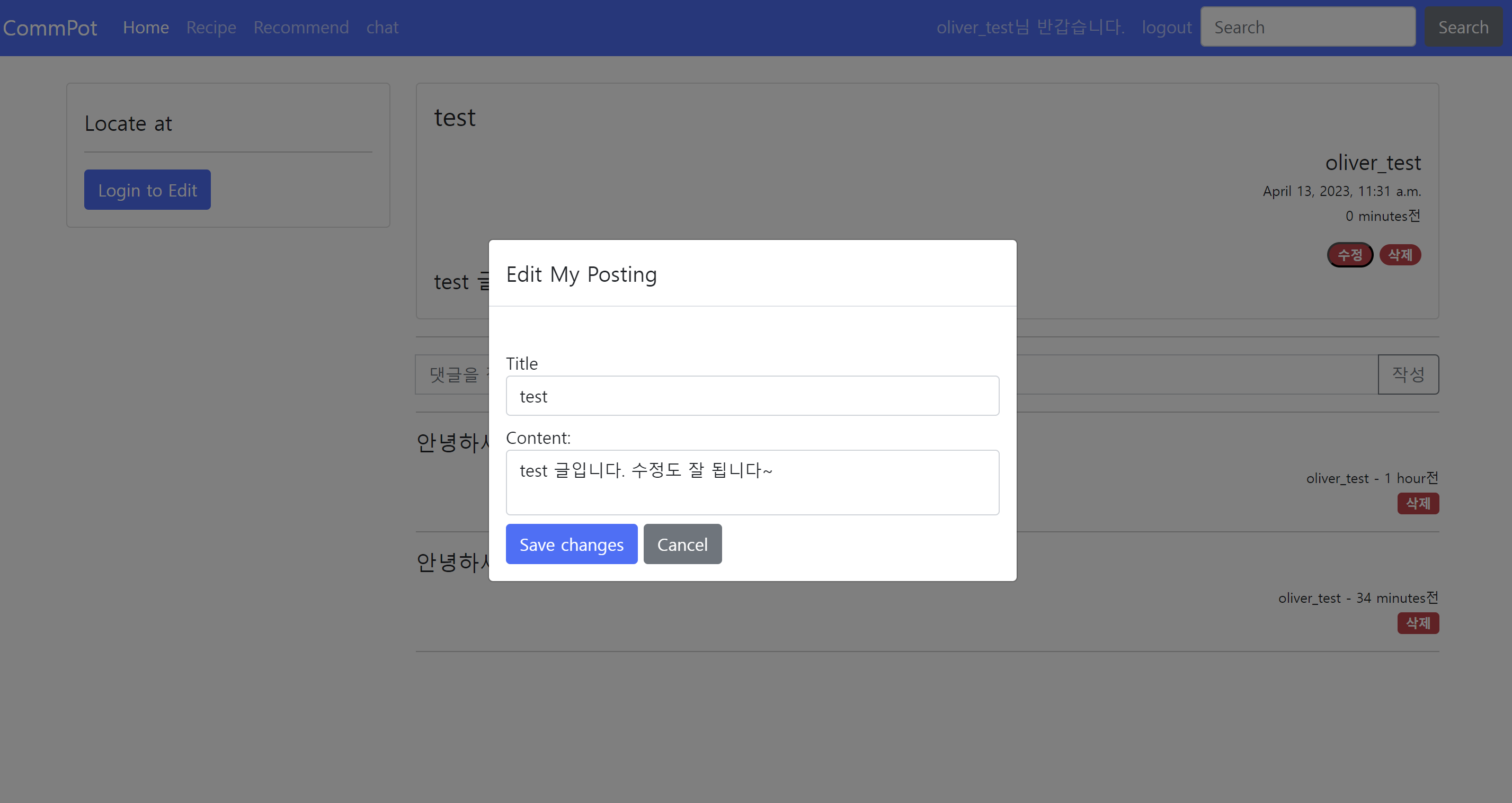
2. 페이지로 구현하기
이제 페이지로 게시글을 수정하는 것을 만들어보았다.
<post views.py 게시글 수정>
def posting_edit_view(request, id):
    my_posting = Posting.objects.get(id=id)
    if request.method == 'POST':
        title = request.POST.get("title", "")
        content = request.POST.get("content", "")
        my_posting.title = title
        my_posting.content = content
        my_posting.save()
        return redirect('/api/posts/'+str(id))
    else:
        my_posting = Posting.objects.get(id=id)
        return render(request, 'posting/post_edit.html', {'posting':my_posting})
<templates/post_detail.html>
<div class="media-body">
    <h4 class="card-title">{{ posting.title }}</h4>
    <div style="text-align: right">
        <p class="card-text">
        <h5 class="card-title">{{posting.author}}</h5>
        <h5 style="font-size: small">{{ posting.created_at }}</h5>
        <h5 style="font-size: small">{{ posting.updated_at|timesince }}전</h5>
        </p>
        {% if posting.author == user %}
        <a href="/api/posts/edit/{{posting.id}}">
            <span class="badge rounded-pill bg-danger">수정</span>
        </a>
        <a href="/api/posts/delete/{{posting.id}}">
            <span class="badge rounded-pill bg-danger">삭제</span>
        </a>
        {% endif %}
    </div>
    <div class="media">
        <div class="media-bod">
            <h5 class="mt-0">{{ posting.content }}</h5>
        </div>
    </div>
</div>
<templates/post_edit.html>
수정 버튼을 누르면 수정하는 페이지 post_edit html로 이동된다.
페이지로 수정기능을 구현했으므로 새로운 html파일이 필요하다.
<!--글수정하는 곳-->
<div class="col-md-9">
    <div class="row mb-2">
        <div class="col-md-12">
            <div class="card">
                <div class="card-body">
                    <div class="media">
                        <div class="media-body">
                            <form class="input-group mb-3" action="/api/posts/edit/{{posting.id}}"
                                method="post">
                                {% csrf_token %}
                                <div class="container timeline-container">
                                    <h5 class="mt-0" type="text" name="author">Author: {{posting.author}}</h5>
                                    <br>
                                    <label for="title">Title:</label>
                                    <input class="input_field" type="text" name="title"
                                        value="{{ posting.title }}"><br>
                                    <br>
                                    <label for="content">Content:</label><br>
                                    <textarea class="form-control" style="resize: none"
                                        name="content">{{ posting.content }}</textarea><br>
                                    <button class="btn btn-primary" type="submit">Save changes</button>
                                </div>
                            </form>
                        </div>
                    </div>
                </div>
            </div>
        </div>
    </div>
<RESULT>
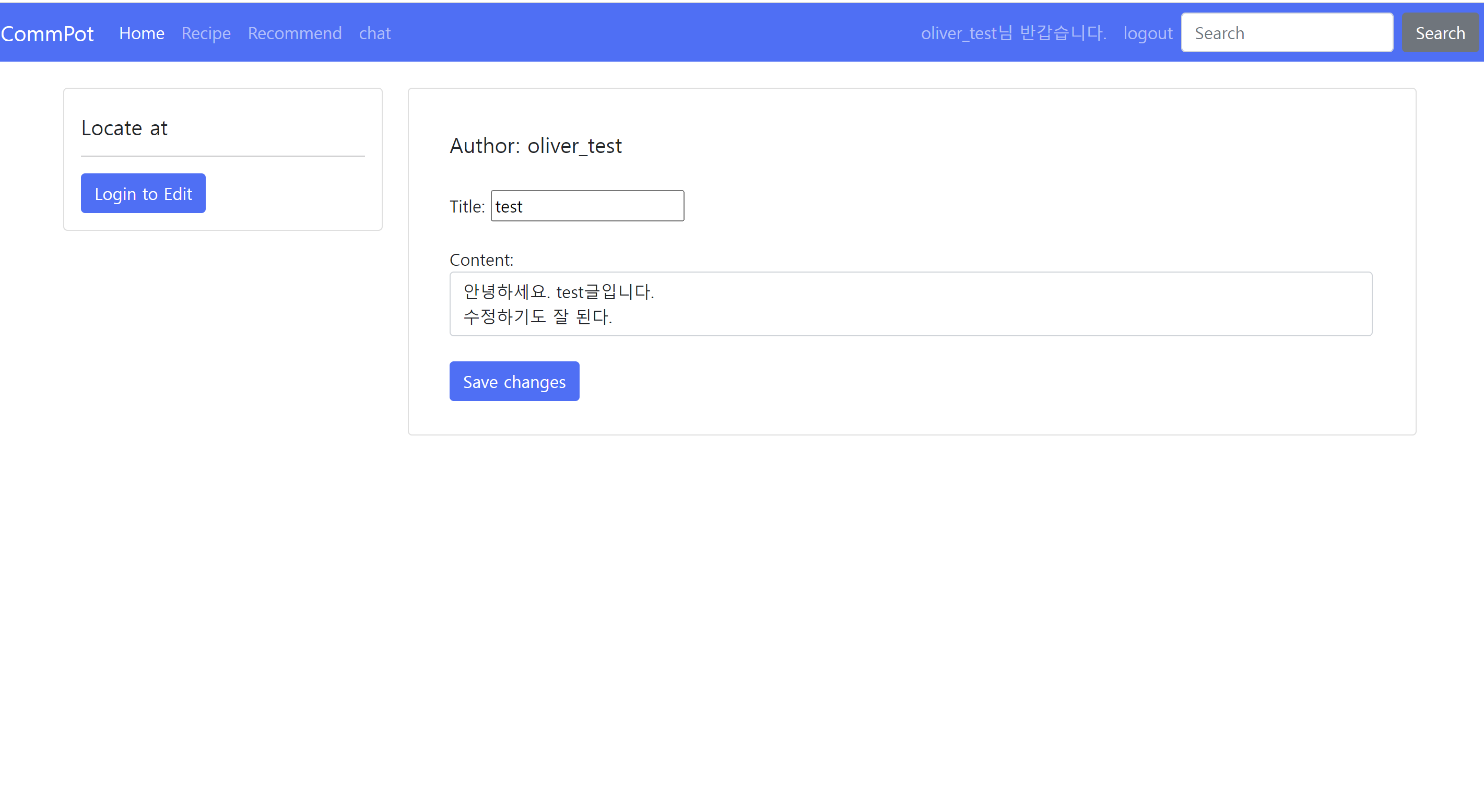
이렇게 직접 구현해보고 결과물을 가지고 토의를 한 결과,
요리 레시피 공유 사이트 특성상.. 글이 길어질 수 있기 때문에 페이지로 구현하는 것이 더 적절하다는 결론이 나왔다!
두 가지로 구현해볼 수 있었다는 점에서 좋은 경험이었다!!
이후, 사진 업로드 및 수정 기능, 카테고리 기능, 구독한 유저의 글 모아보기 기능도 추가했다!
그리고.. 디자인 수정도..ㅎㅎ 좀 예쁘게 다듬었다~ (후기로 또 찾아오겠습니다!)
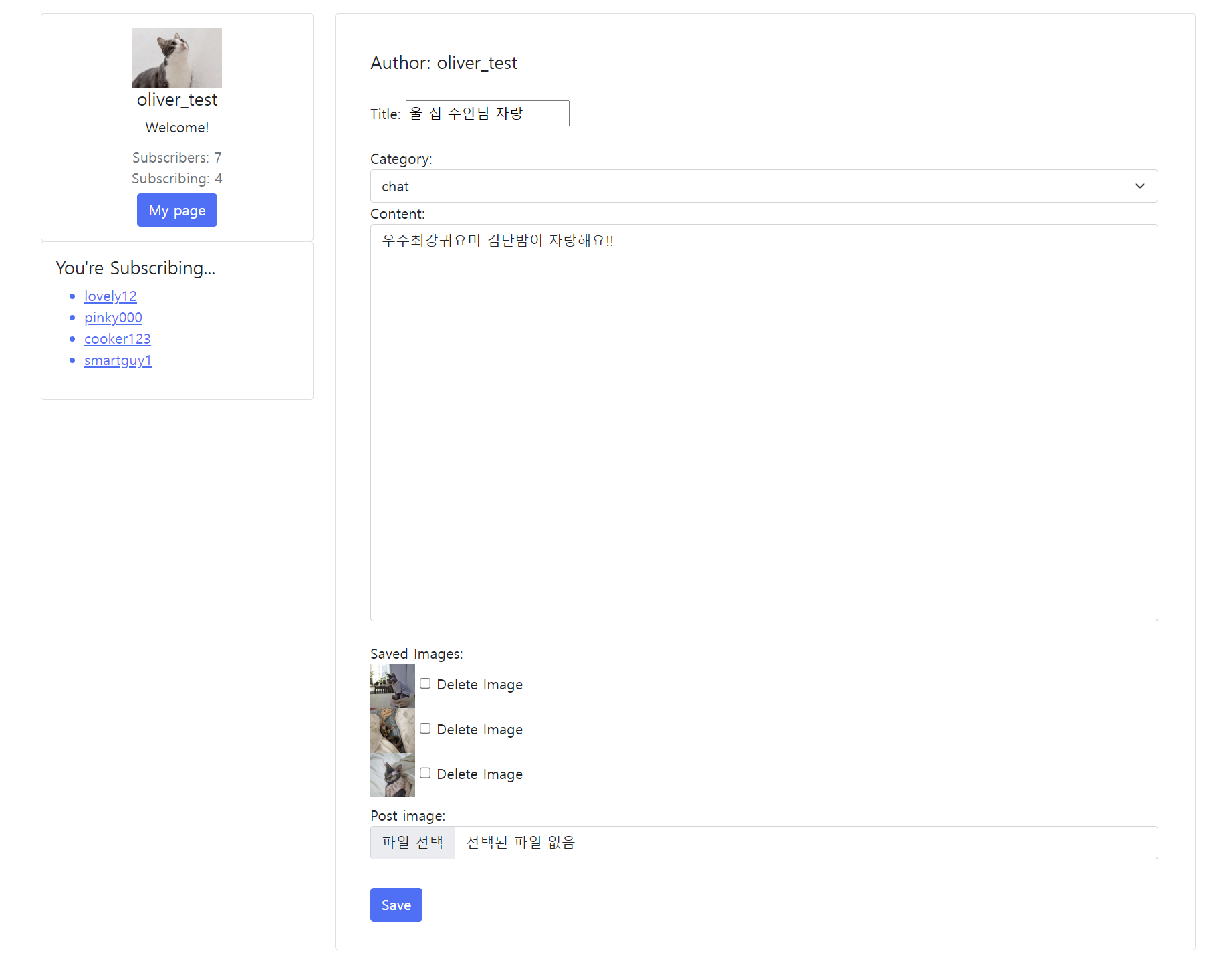
결과물 먼저 투척~ㅎㅎ
'Project Portfolio' 카테고리의 다른 글
| 검색기능 구현하기 (0) | 2023.04.15 |
|---|---|
| 페이징(pagination) 구현하기 (0) | 2023.04.14 |
| 게시글 자세히보기/삭제하기/댓글 작성하기/삭제하기 기능 (0) | 2023.04.13 |
| 장고 팀프로젝트 #1 Commpot 기획 (0) | 2023.04.11 |
| 좀비 턴제 게임 만들기 #3 1대 다수 플레이 구현하기 (0) | 2023.04.02 |


